A website is one of the most important digital assets for a modern business. Whether a company sells products, provides professional services, publishes educational resources, or manages an online community, its website needs regular updates. Creating new pages, publishing articles, uploading images, managing products, and maintaining information can become difficult when every change requires technical expertise.
A Content Management System (CMS) solves much of this problem. It gives businesses a centralized platform for creating, editing, organizing, publishing, and maintaining digital content.
Today, CMS platforms range from simple systems designed for small websites to sophisticated solutions supporting global organizations, ecommerce operations, mobile applications, and personalized digital experiences.
Understanding how a CMS works, what features matter, and how to choose the right platform can help businesses build a more efficient digital presence.
What Is a Content Management System?
A Content Management System is software that allows users to manage digital content without having to manually write or modify website code for every update.
A typical CMS has two major components. The first is the content management application, where users create and organize information. The second is the presentation layer, which determines how visitors see that content.
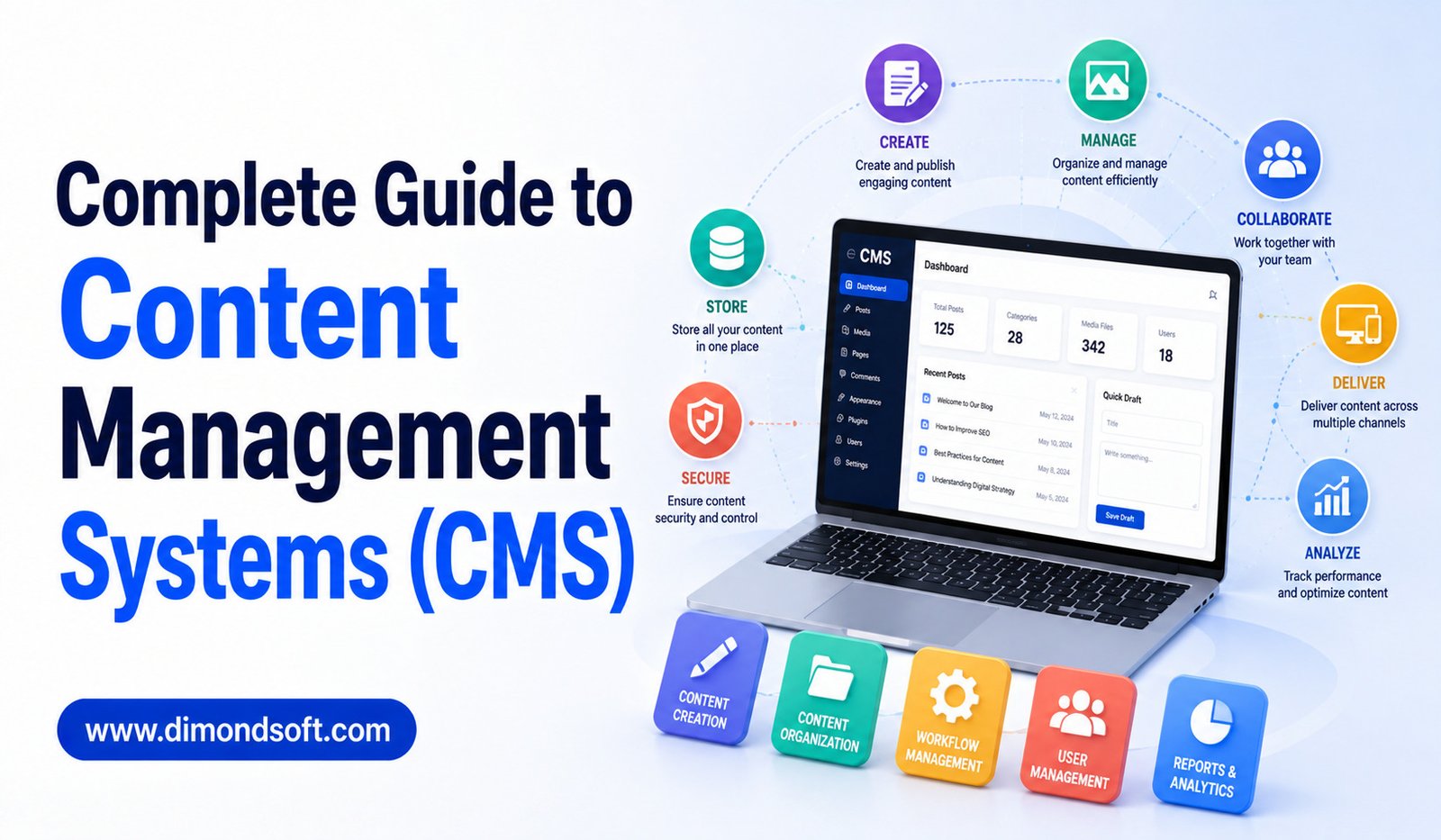
Through a CMS dashboard, authorized users can create pages, publish blog posts, upload media, manage menus, edit existing information, and control publishing.
Modern platforms can also support SEO, ecommerce, analytics, personalization, workflows, integrations, and artificial intelligence.
How Does a CMS Work?
A CMS generally stores website content in a structured database. When a visitor opens a webpage, the system retrieves the relevant information and displays it using templates or other presentation components.
The process is much simpler for the content editor.
Instead of editing HTML files manually, a writer can open the CMS, enter an article, add images, and click publish.
The platform handles much of the technical work in the background.
This separation between content creation and technical implementation is one of the main reasons CMS platforms are widely used.
Why Businesses Need a CMS
Without a CMS, website updates may require developers to modify code or files manually.
That can create delays and increase costs, especially when a business publishes content frequently.
A CMS allows marketing teams, writers, product managers, and other employees to make many changes independently.
It can also create greater consistency. Templates and predefined structures help ensure that pages follow the organization’s design and content standards.
For growing businesses, this can make website management more scalable.
Main Types of CMS Platforms
There is no single type of CMS that works for every organization.
Traditional CMS
A traditional CMS combines content management with the website’s presentation layer.
This approach is straightforward and often suitable for businesses managing conventional websites.
Users can create content and immediately see how it will appear on the website.
Headless CMS
A headless CMS separates content from presentation.
Content is stored in the CMS and delivered through APIs to different front-end applications.
This allows businesses to use the same content across websites, mobile applications, ecommerce systems, and other digital experiences.
Headless platforms provide flexibility but often require stronger technical resources.
Hybrid CMS
A hybrid CMS combines characteristics of traditional and headless systems.
Businesses can use conventional website publishing tools while also delivering content through APIs when needed.
This can be useful for organizations that want familiar editing capabilities but also expect to expand into multiple digital channels.
Essential CMS Features
When evaluating a CMS, businesses should focus on the features that support their actual workflows.
Content Creation and Editing
The CMS should make it easy to create and modify pages and other content.
A good editor should support text formatting, images, links, headings, tables, media, and other common elements.
The interface should be understandable to employees who are not developers.
Media Management
Websites often contain thousands of images, videos, documents, and other digital assets.
A CMS should provide a practical way to upload, organize, search, and reuse these files.
Large organizations may also require a dedicated digital asset management system.
User Roles and Permissions
Different employees need different levels of access.
A CMS should allow administrators to control who can create, edit, review, approve, and publish content.
Permissions help prevent unauthorized changes and improve accountability.
Version Control
Content changes frequently.
Version control allows teams to track previous versions and restore earlier content when necessary.
This is particularly valuable for websites managed by multiple employees.
Publishing Workflows
Larger teams often require formal review processes.
A CMS can support workflows in which writers create drafts, editors review them, managers approve them, and administrators publish them.
Automated notifications can reduce unnecessary communication through email.
CMS and Search Engine Optimization
SEO is an important consideration for many websites.
A CMS should make it easy to manage basic SEO elements such as page titles, meta descriptions, URLs, headings, image information, internal links, and XML sitemaps.
Technical performance also matters.
A CMS should support mobile-friendly websites, efficient page delivery, and reasonable performance optimization.
However, a CMS cannot guarantee search rankings. Strong SEO also requires useful content, good website architecture, relevant keywords, quality links, technical optimization, and a strong understanding of search intent.
Ecommerce CMS Capabilities
Businesses selling products online often need more than basic content management.
An ecommerce-focused CMS may support product catalogs, inventory, payments, customer accounts, discounts, shipping, tax calculations, and order management.
Some general-purpose CMS platforms can add ecommerce functionality through plugins or integrations.
The right option depends on the size and complexity of the online store.
A small business may need only basic ecommerce features, while a large retailer may require a dedicated commerce platform connected to its CMS.
Security and CMS Management
Security should be a priority when selecting and operating a CMS.
Websites can be targeted through compromised accounts, outdated software, vulnerable plugins, poor configurations, or insecure integrations.
Businesses should look for features such as secure authentication, role-based permissions, encryption, backups, security updates, and activity monitoring.
Self-hosted CMS platforms may require the organization to manage more of these responsibilities.
Hosted platforms generally handle more infrastructure maintenance, although businesses remain responsible for user accounts, permissions, and secure configuration.
Cloud-Based CMS vs. Self-Hosted CMS
A cloud-based CMS is hosted by a service provider. Users access the platform through the internet, while the provider typically manages much of the underlying infrastructure.
A self-hosted CMS is installed on infrastructure managed by the business or its hosting provider.
Cloud platforms can simplify maintenance, updates, and scalability.
Self-hosted systems can provide greater control and customization.
The right choice depends on the organization’s technical expertise, security requirements, budget, and desired level of control.
CMS Integrations
A CMS rarely operates alone.
Businesses often need connections with CRM systems, email marketing platforms, analytics tools, ecommerce software, payment systems, customer support applications, social platforms, and other services.
Integration capabilities can reduce duplicate work.
For example, product information can be connected between a CMS and an ecommerce platform, while customer data can be connected to marketing tools.
APIs are particularly important for organizations building customized digital ecosystems.
AI-Powered CMS Features
Artificial intelligence is becoming an important part of modern content management.
AI can assist with writing, editing, summarization, translation, classification, metadata generation, content recommendations, search, and personalization.
For example, an AI-enabled CMS might suggest a page summary, recommend relevant tags, or identify older content that needs review.
These tools can save time, but human oversight remains essential.
AI-generated information should be reviewed for accuracy, relevance, originality, and brand consistency before publication.
Content Governance
Content governance defines how an organization manages its information.
It determines who owns content, who can publish it, how content is reviewed, how long information should be retained, and when outdated material should be removed.
Without governance, even an advanced CMS can become disorganized.
Businesses should establish clear guidelines for content creation, naming conventions, permissions, approvals, publishing, and maintenance.
Governance becomes especially important when multiple departments or locations use the same CMS.
Content Lifecycle Management
Content has a lifecycle.
It begins with planning and creation, moves through editing and approval, reaches publication, and eventually requires updating, archiving, or removal.
Businesses should regularly review their content to determine whether it remains accurate and useful.
Old statistics, broken links, discontinued products, and outdated policies can damage user trust.
A structured content lifecycle helps organizations maintain a reliable digital presence.
Choosing the Right CMS
Selecting a CMS should begin with business requirements rather than software popularity.
Consider the following questions:
- What type of content will you manage?
- How many people will use the system?
- How frequently will content be published?
- Do you need ecommerce?
- Will content appear on multiple channels?
- What integrations are required?
- How much customization is necessary?
- What security requirements apply?
- What is your budget?
- How much technical expertise does your team have?
The answers will narrow the available options.
A small company may prioritize simplicity and affordability, while a large organization may require scalability, governance, APIs, personalization, and advanced security.
CMS Costs to Consider
The cost of a CMS involves more than the initial subscription.
Businesses should consider hosting, development, plugins, themes, integrations, maintenance, security, training, migration, and support.
A low-cost platform may require substantial development work, while a more expensive system may include features that reduce the need for third-party tools.
Calculating the total cost of ownership can provide a more accurate comparison.
Common CMS Mistakes
Businesses often choose a CMS based solely on its popularity.
This can be a mistake because a platform that works well for one organization may be unsuitable for another.
Another common problem is installing too many plugins or extensions. Excessive add-ons can increase complexity and create maintenance or security issues.
Businesses may also fail to train employees, resulting in inconsistent content and poor adoption.
Finally, organizations sometimes migrate large amounts of outdated content without reviewing it first. A CMS migration is an opportunity to clean up unnecessary information.
Best Practices for CMS Management
A successful CMS requires ongoing management.
Businesses should keep software and extensions updated, review user permissions regularly, maintain backups, monitor performance, and establish clear publishing workflows.
Content should also be reviewed periodically.
Organizations should document important procedures so employees know how to create, approve, publish, and update information.
Regular audits can identify outdated pages, broken links, duplicate content, unused media, and unnecessary user accounts.
The Future of CMS Technology
CMS platforms are becoming more intelligent and flexible.
AI will likely play a larger role in content creation, search, personalization, classification, and workflow automation.
Headless and composable architectures will continue to support businesses managing content across multiple digital channels.
Cloud platforms will remain important for organizations seeking scalability and simplified infrastructure management.
The future CMS will likely function less as a simple website publishing tool and more as a central content hub connected to a broader digital ecosystem.
Conclusion
A Content Management System provides the foundation for creating, organizing, publishing, and maintaining digital information.
From traditional website platforms to headless and hybrid architectures, businesses have many options. The best choice depends on the organization’s content requirements, technical resources, budget, security needs, integrations, and long-term digital strategy.
Important CMS capabilities include easy content editing, media management, user permissions, version control, workflows, SEO support, security, integrations, scalability, and increasingly, AI-powered tools.
Choosing the right platform is only the beginning. Businesses also need effective governance, employee training, security practices, and regular content maintenance.
A well-managed CMS can reduce development dependency, improve publishing efficiency, strengthen collaboration, and create a better digital experience for customers.
The most successful businesses will not simply choose a CMS with the largest feature list. They will choose a system that fits their workflows today while providing enough flexibility to support tomorrow’s digital requirements.