
Businesses rely on documents for almost everything. Companies have employee handbooks, product manuals, sales presentations, contracts, standard operating procedures, customer support guides, research reports, and internal policies. These documents contain valuable knowledge, but finding the right information inside them can often take time.
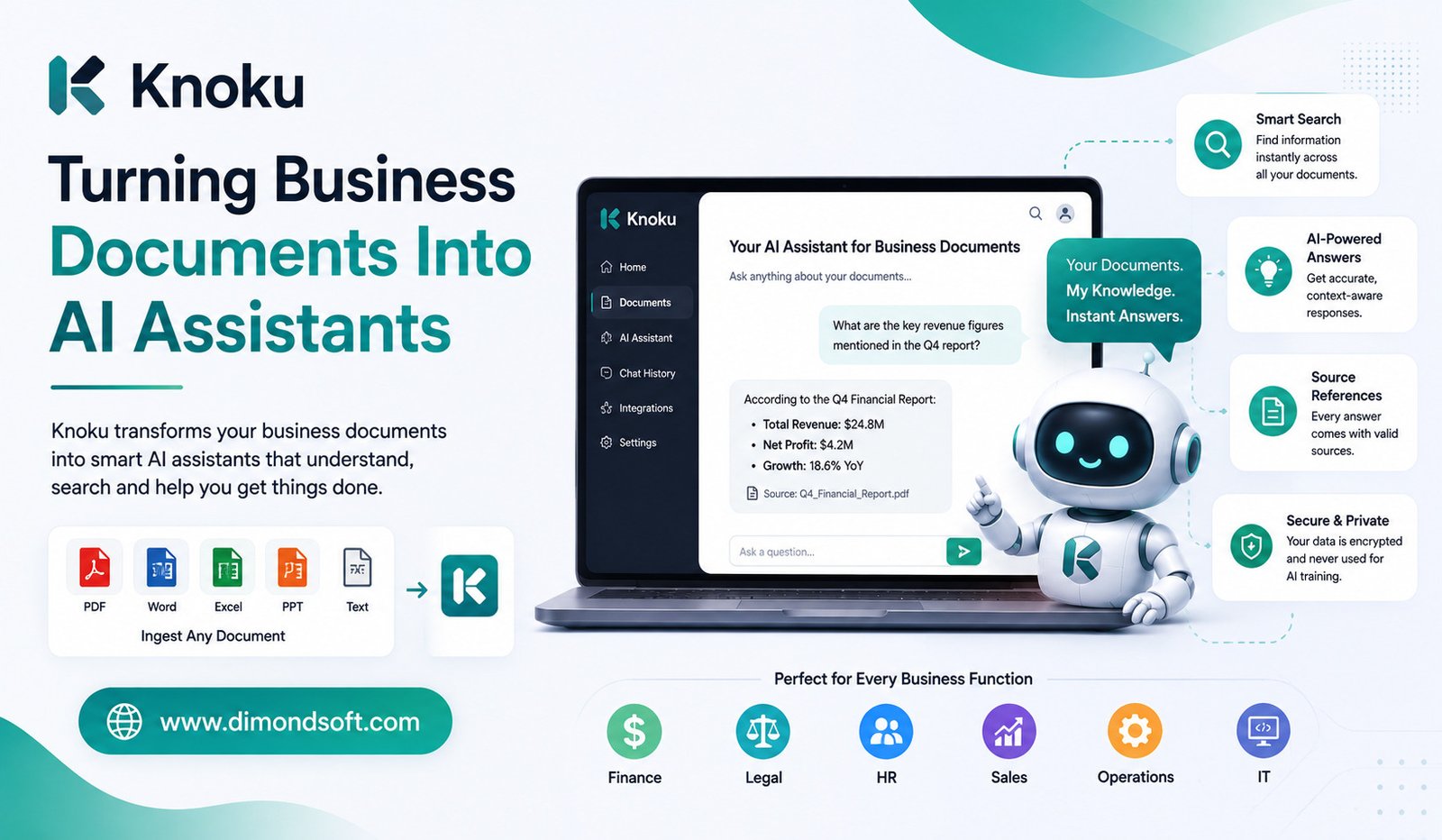
As artificial intelligence becomes more capable, businesses are finding new ways to make their existing information easier to use. Knoku represents this emerging approach of turning business documents into interactive AI assistants.
Instead of treating a document as a static file that employees have to read manually, AI can potentially transform its information into a conversational resource. Employees can ask questions, find relevant information, summarize sections, and interact with business knowledge through a more natural interface.
This approach could change how organizations manage internal knowledge and make everyday work more efficient.
What Is Knoku?
Knoku can be understood as an AI-powered approach to making business documents more interactive and accessible.
Traditional documents are designed primarily for people to read. If an employee wants to find a specific piece of information, they may need to search through pages, use keywords, or ask another colleague for help.
An AI assistant changes this experience.
A company can provide relevant documents to an AI system, allowing employees to ask questions about their contents in natural language.
For example, instead of searching through a 50-page employee policy document, a worker could ask:
“How many days of annual leave can I take?”
The AI can identify the relevant information and provide an answer based on the available business documentation.
The document effectively becomes a knowledge source that employees can interact with.
Why Business Documents Are Valuable for AI
Companies already possess enormous amounts of information.
Much of this information is stored in documents rather than databases. A company may have years of accumulated knowledge sitting inside PDFs, Word files, presentations, spreadsheets, manuals, and internal guides.
The problem is accessibility.
Employees may know that the information exists but not where to find it.
AI-powered document assistants can help bridge this gap by allowing users to interact with business information through questions rather than traditional file searches.
This can be particularly valuable for organizations with large amounts of internal documentation.
From Static Documents to Interactive Knowledge
A document normally follows a one-way communication model.
Someone creates the document, and another person reads it.
An AI assistant introduces an interactive layer.
Employees can ask follow-up questions, request summaries, compare information, or locate specific details.
For example, a sales representative could upload or access product documentation and ask:
- What are the main features of this product?
- Which customers is it designed for?
- What are its technical specifications?
- How does it differ from the previous version?
Instead of manually searching through multiple documents, the employee can interact with the company’s knowledge more directly.
How AI Document Assistants Work
The underlying process generally involves several stages.
First, documents are added to an AI-powered system. The system processes the content and makes the information searchable.
When a user asks a question, the system identifies relevant sections of the available material.
Those sections can then be provided to an AI model, which generates a response based on the retrieved information.
This approach is often associated with retrieval-augmented generation, or RAG.
The goal is to give the AI relevant source information rather than asking it to rely entirely on information learned during its original training.
This can be especially useful for business documents because company information is often private, specialized, and constantly changing.
Helping Employees Find Information Faster
One of the biggest potential benefits is improved information discovery.
Employees can spend considerable amounts of time looking for answers.
A new employee might need to read several documents to understand company procedures. A customer support representative may need to search product manuals before responding to a technical question.
An AI assistant can provide a faster starting point.
Instead of asking:
“Where is the information about this?”
employees can ask:
“What is the procedure for handling this situation?”
The AI can then provide an answer based on the organization’s available documentation.
This can reduce unnecessary searching and help employees become productive faster.
AI Assistants for Employee Onboarding
Employee onboarding is another strong use case.
New employees typically receive large amounts of information during their first few weeks. They may receive company policies, training materials, process documentation, product information, and department-specific instructions.
Remembering everything immediately is difficult.
An AI document assistant could act as an always-available onboarding resource.
A new employee could ask questions about company processes whenever they need clarification.
For example:
“How do I request equipment?”
“What is the process for submitting an expense?”
“Where can I find the customer escalation procedure?”
Instead of repeatedly asking managers or colleagues, employees could first consult the company’s AI knowledge assistant.
Improving Customer Support
Business documents can also power customer support workflows.
Companies often maintain detailed product manuals, troubleshooting guides, FAQs, and support procedures.
An AI assistant can help support teams find relevant information quickly.
For example, when a customer reports a technical problem, a support representative could ask the AI to identify troubleshooting steps from the appropriate documentation.
This can help reduce the time required to search through multiple resources.
However, support teams should still verify important information before providing customers with advice, particularly when incorrect information could create financial, safety, or legal consequences.
Making Sales Teams More Efficient
Sales representatives also work with large amounts of product information.
They may need to understand pricing structures, product specifications, customer segments, features, case studies, and competitive differences.
An AI assistant connected to approved business documents can potentially become a sales knowledge resource.
A salesperson could ask for a quick explanation of a product feature or request information relevant to a specific customer type.
This can help salespeople spend less time searching internal resources and more time communicating with customers.
Keeping AI Answers Grounded in Business Information
One of the biggest challenges with general-purpose AI is that models can sometimes generate information that sounds convincing but is incorrect.
For business applications, this can be a serious problem.
An AI document assistant should therefore be designed to ground its answers in trusted company information whenever possible.
Businesses should also establish clear processes for updating documents.
If a company changes a policy but the AI system still relies on an outdated document, employees could receive incorrect information.
Maintaining accurate source material is therefore just as important as the AI technology itself.
Security and Privacy Considerations
Business documents can contain sensitive information.
Contracts, employee policies, financial documents, customer records, internal strategies, and technical documentation should not automatically be accessible to everyone.
An AI document assistant therefore needs appropriate access controls.
Different employees may require access to different information.
For example, a sales employee might need product documents but not confidential HR files.
Organizations should consider authentication, permissions, data storage, encryption, retention policies, and access monitoring when implementing AI-powered document systems.
AI should make business information easier to access—but only for the people authorized to see it.
The Role of AI in Knowledge Management
Traditional knowledge management systems often depend on folders, databases, search boxes, and carefully organized documentation.
These systems remain useful, but AI introduces another layer.
Instead of requiring employees to understand the organization’s information architecture, AI can potentially help interpret questions and locate relevant knowledge.
This creates a more conversational approach to knowledge management.
Employees don’t necessarily need to know which folder contains the answer. They can simply describe what they are trying to find.
Challenges of Turning Documents Into AI Assistants
Although the concept is promising, businesses should not assume that every document can immediately become a perfect AI assistant.
Poorly written documents can create confusing answers.
Outdated information can lead to inaccurate responses.
Scanned documents may require additional processing before their text can be used effectively.
Complex tables, charts, diagrams, and specialized terminology can also create challenges.
Businesses should therefore review and organize important documents before using them as AI knowledge sources.
The quality of the knowledge base will strongly influence the usefulness of the resulting assistant.
The Future of Business Knowledge
The idea behind Knoku points toward a broader transformation in how organizations interact with information.
In the past, companies stored knowledge in documents and expected employees to search for it.
In the future, businesses may increasingly turn that information into interactive AI systems.
An employee could have a conversation with the company’s knowledge base instead of opening dozens of files.
This could make internal information more accessible while reducing repetitive questions and search time.
As AI becomes better at understanding documents, images, tables, and structured information, these assistants could become even more capable.
Final Thoughts
Knoku represents an interesting direction in business AI: turning existing documents into interactive AI assistants.
Companies don’t always need to create completely new knowledge to benefit from artificial intelligence. They already have valuable information stored in policies, manuals, reports, guides, presentations, and other documents.
The challenge is making that information easy to access.
AI-powered document assistants can provide a conversational layer over business knowledge, helping employees search for answers, understand complex information, support customers, and complete everyday tasks more efficiently.
However, accuracy, document quality, privacy, security, and access control remain essential.
The future of business knowledge management may not be about storing more documents. It may be about making the information companies already have easier for both humans and AI to understand and use.