Motion graphics have become an important part of modern digital content. Brands use animated visuals for social media posts, product demonstrations, advertisements, presentations, websites, videos, and educational content.
However, creating professional motion graphics traditionally requires design skills, animation software, creative planning, and considerable time. Even a short animated scene can involve multiple layers, keyframes, typography settings, transitions, effects, and timing adjustments.
Artificial intelligence is changing how these visuals can be created.
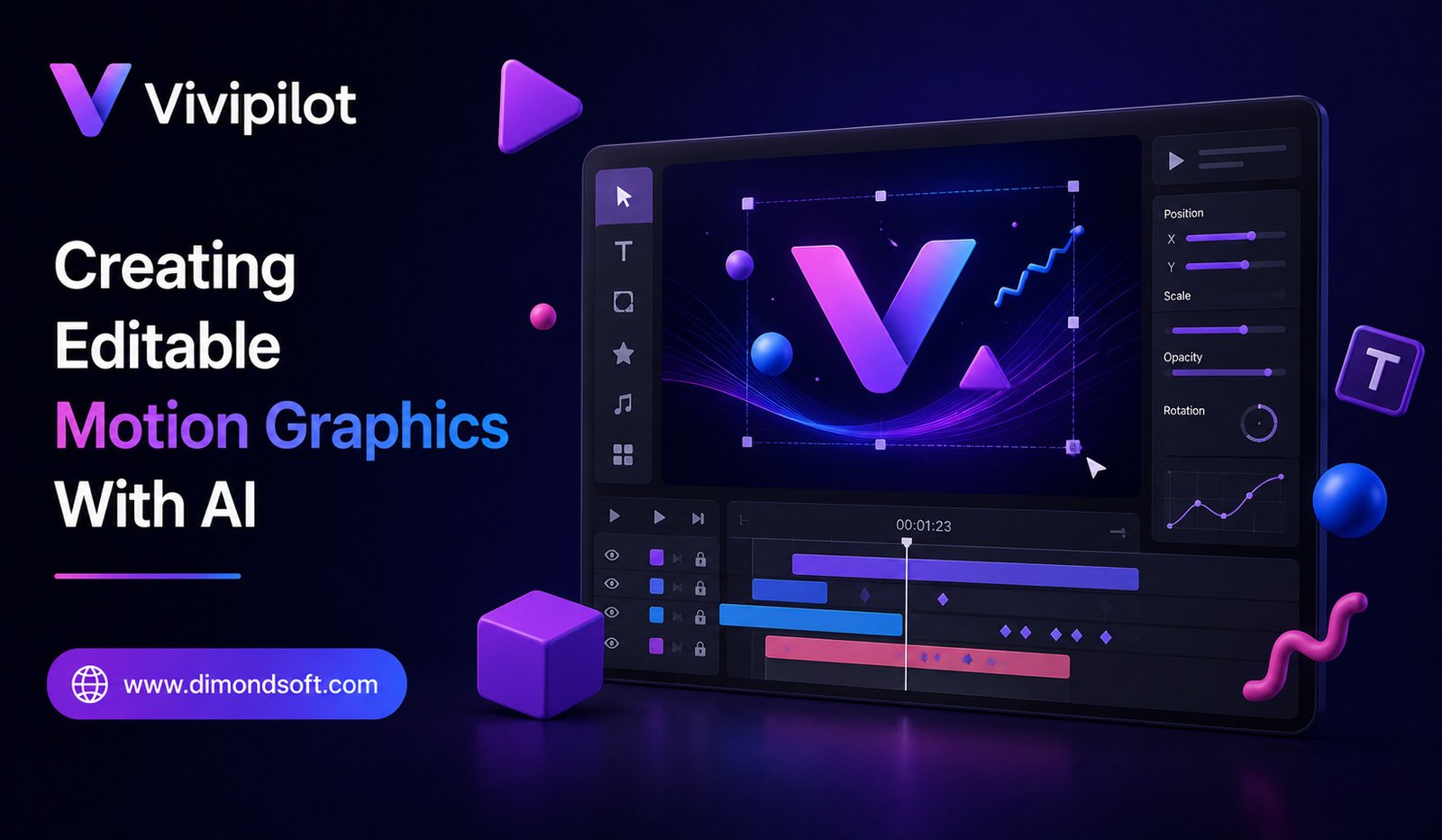
Vivipilot represents the emerging idea of using AI to create editable motion graphics from natural-language instructions. Instead of treating AI-generated animation as a finished video that cannot be changed, the focus is on producing visual projects that users can continue editing and refining.
This approach could make motion design more accessible while retaining the flexibility that professional creators need.
What Is Vivipilot?
Vivipilot can be understood as an AI-powered approach to generating motion graphics that remain editable.
Traditional AI video generators often focus on producing a final visual clip.
That can be useful when the objective is simply to generate footage.
Motion graphics, however, often require precise control.
A designer may want to change the text, timing, colors, position, animation speed, or individual elements after the initial creation.
Editable AI-generated graphics address this need by treating the output as a project rather than just a video file.
The AI helps create the animation, while the user retains control over the underlying elements.
Why Editable Graphics Matter
Imagine a company creating an animated product advertisement.
The AI generates a visually appealing animation, but the product price changes before publication.
With a conventional AI-generated video, the creator may need to generate the entire clip again.
With an editable project, the price could potentially be changed directly.
The same applies to logos, headlines, colors, icons, images, and timing.
This makes editable output particularly valuable for professional workflows.
From Text Prompt to Motion Design
One of the biggest advantages of AI is the ability to understand natural-language instructions.
Instead of manually building every animation element, a creator could describe what they want.
For example:
“Create a modern animated product announcement with a bold headline, product image, smooth entrance animation, and a short call-to-action at the end.”
An AI system can interpret these requirements and generate a starting point.
The creator can then modify the result.
This shifts motion design toward a combination of natural-language creation and visual editing.
AI as a Motion Design Assistant
The most useful way to think about AI isn’t necessarily as a replacement for designers.
It can function as a creative assistant.
A designer might provide the overall concept while AI handles repetitive implementation.
For example, the designer decides the visual direction.
AI creates an initial animation.
The designer adjusts the typography, timing, composition, and brand elements.
This can significantly reduce the time required to reach a polished result.
Creating Animated Text
Typography is one of the most common elements in motion graphics.
Titles can appear through fades, slides, scaling effects, rotations, or other transitions.
AI can potentially generate these animations based on natural-language descriptions.
For example, a creator could request a headline that enters from the side, pauses, and then transitions into the next scene.
The important advantage of an editable project is that the text itself can remain adjustable.
A user can change the words without necessarily rebuilding the entire animation.
Working With Shapes and Graphics
Motion graphics often rely on simple visual elements.
Circles, rectangles, lines, icons, illustrations, and other shapes can be animated to create sophisticated designs.
AI can help arrange these elements and define their movement.
A creator could ask for a clean animated infographic with several icons appearing sequentially.
The AI can generate the initial composition while the designer refines individual elements.
This can be particularly useful for presentations and educational content.
Brand-Friendly Motion Graphics
Businesses often need consistent branding.
An animation may need to follow specific brand colors, typography, logos, and visual guidelines.
Editable output can make this easier.
Instead of accepting whatever visual style an AI generator produces, designers can modify the project to match the company’s identity.
This distinction is important for professional marketing.
AI can provide the starting point, while humans maintain brand consistency.
Social Media Content
Social media has created a large demand for short animated graphics.
Brands and creators regularly publish videos for platforms such as Instagram, YouTube, LinkedIn, and other digital channels.
A single campaign may require several variations.
For example, a company might need different versions for:
Product launch
Discount announcement
Customer testimonial
Feature explanation
AI can help generate these variations faster.
Editable projects make it easier to change headlines, images, and calls to action without starting every animation from scratch.
Marketing Campaigns
Marketing teams often work under tight deadlines.
A campaign may require multiple animated assets in a short period.
Traditional motion design can become a bottleneck when every variation requires manual production.
AI-assisted motion graphics can speed up the first stage of creation.
The designer can then refine the assets and ensure they meet campaign requirements.
This can make the production process more scalable.
Presentations and Business Communication
Motion graphics aren’t limited to advertising.
Companies also use animated visuals in presentations, internal communications, investor materials, product demonstrations, and training content.
For example, an operations team could create an animated process diagram showing how a workflow works.
Instead of manually animating every component, AI could generate the initial sequence.
The user can then modify labels and timing.
This could make presentations more engaging without requiring advanced animation expertise.
Educational Content
Teachers, trainers, and educational creators can also benefit.
Complex ideas are often easier to understand when represented visually.
An AI system could help create animated diagrams, timelines, charts, or explanatory sequences.
For example, a creator explaining a scientific process could use animated shapes and labels to show how different stages connect.
Editable output makes it possible to update the explanation later.
Why AI-Generated Video Isn’t Always Enough
AI video generation has made significant progress, but generated footage isn’t always suitable for motion-design workflows.
A video is essentially a final visual sequence.
If an element is incorrect, changing it may require regenerating the entire scene.
Motion graphics are different.
Designers often need precise control over individual components.
They may want to move one object without changing another.
They may need to adjust text timing by a few frames.
They may want to change one color while preserving the rest of the composition.
Editable output provides this level of flexibility.
AI and Traditional Animation Workflows
AI doesn’t have to replace existing creative software.
Instead, it can complement traditional workflows.
A designer might use AI to generate an initial composition.
The project can then be refined using conventional editing tools.
This hybrid approach can combine the speed of AI with the precision of manual design.
It also gives professionals greater control over the final result.
Making Motion Design More Accessible
Professional motion graphics can have a steep learning curve.
Creators need to understand concepts such as:
- Keyframes
- Timing
- Easing
- Composition
- Typography
- Layer management
- Transitions
- Visual hierarchy
AI can potentially hide some of this complexity.
A beginner can describe a desired animation in everyday language rather than manually configuring every parameter.
The user can then learn by modifying the generated result.
This could lower the entry barrier to motion design.
Faster Prototyping
Creative professionals often experiment with multiple ideas before choosing a final direction.
AI can accelerate this stage.
Instead of spending hours building the first version of an animation, designers can generate several concepts quickly.
They can compare different compositions, transitions, and visual approaches.
Once a promising direction is found, the editable project can be refined.
This makes AI particularly useful during early-stage creative exploration.
Iteration Becomes Easier
Creative work rarely ends with the first draft.
Clients request changes.
Marketing messages evolve.
Product features change.
Design teams receive feedback.
Editable AI-generated graphics can make these revisions easier.
Instead of regenerating the entire asset, users can modify specific elements.
This is one of the most important differences between AI generation and AI-assisted design.
Generation creates something.
Editable generation creates something that can continue evolving.
Challenges of AI Motion Graphics
AI-generated motion graphics still have limitations.
The AI may misunderstand a design request.
Animations may not follow professional motion principles.
Text placement can sometimes be awkward.
Timing may require adjustment.
Brand guidelines may need manual correction.
For high-quality commercial work, human review remains important.
The best results often come from treating AI output as a starting point rather than assuming the first generated version is final.
The Importance of Editable Output
The ability to edit AI-generated work could become one of the defining characteristics of professional creative AI.
Creators don’t simply want images or videos.
They want assets they can control.
An editable project gives users access to the structure behind the visual result.
This makes AI more compatible with existing design workflows.
Instead of creating a separate category of disposable AI-generated media, editable AI can become part of professional production.
Potential Benefits for Businesses
Businesses could use AI motion graphics for many purposes.
They could create:
Social media animations
Product announcements
Advertising graphics
Training materials
Presentation visuals
Explainer content
Brand animations
The biggest advantage is potentially faster production.
Small businesses that cannot afford a dedicated motion designer for every campaign could use AI to create a starting point and then refine the result themselves or with a designer.
The Future of AI-Powered Motion Design
The future of AI animation may move toward greater control.
Instead of simply generating a video from a prompt, AI systems could understand complete design structures.
A user could request a scene and then manipulate individual objects through conversation.
For example:
“Move the logo slightly to the left.”
“Make the headline appear faster.”
“Change the background animation.”
“Keep the current design but create a version for a vertical screen.”
This could create a powerful combination of conversational AI and visual editing.
AI as a Creative Partner
The most interesting possibility is that AI becomes part of the creative process rather than simply a content generator.
A designer could brainstorm with AI, create prototypes, experiment with different animation concepts, and refine the final composition.
The human provides creative judgment.
AI handles repetitive implementation and rapid experimentation.
This partnership can potentially make sophisticated motion design faster without eliminating human creativity.
Final Thoughts
Vivipilot represents the broader movement toward creating editable motion graphics with AI.
The key idea is not simply generating animation quickly. It is generating visual work that remains flexible enough for creators to modify afterward.
This distinction matters for marketing teams, designers, content creators, educators, and businesses that need to produce multiple versions of visual content.
AI can help with ideation, composition, animation, and prototyping, while editable output gives humans the control needed for professional refinement.
As creative AI develops, the future of motion design may move away from the choice between manual animation and automated generation.
Instead, creators could describe an idea, let AI build the first version, and then continue shaping the result through direct editing and conversation.
That combination of AI speed and human control could make professional motion graphics more accessible, flexible, and efficient.